3D Tilted App Store Screenshots vs Flat 2D Device Frames: legibility, depth and sequence strategy
A subtle 3D device tilt stops scrolling eyes in crowded App Store search results by adding depth and studio rim light, whereas flat 0-degree front-facing frames maximize legibility on dense spreadsheets, code editors, and multi-column tables. Because StoreFront Studio renders real RealityKit 3D iPhone and iPad models, you do not have to pick one style forever — mix a gentle 3D hero pose on slide one with crisp front-facing 3D frames on detail slides.
1. Visual impact vs small-screen UI text legibility
In iPhone App Store search results, three portrait screenshots squeeze across a narrow screen width. A flat 2D bezel keeps every horizontal line of text strictly parallel to pixel rows, making 12 pt table cells sharper, yet three identical flat rectangles side by side can feel static.
Angling a real 3D model by 8° to 15° with soft studio lighting catches the hardware edge and draws attention immediately — while extreme 40° isometric spins crush horizontal width and make UI text unreadable.
| Criterion | Restrained 3D Tilt (5°–15°) | Extreme 3D Spin (35°+) | Flat Front-On Frame (0°) |
|---|---|---|---|
| Search scroll-stopping depth | High — rim light & chassis depth stand out | High drama, low clarity | Moderate — relies on color & headline |
| In-app UI text legibility | High when yaw/pitch stay under ~15° | Poor — foreshortens small UI labels | Maximum pixel-row sharpness |
| Dark UI on dark background | Strong — 3D titanium light separates edges | Strong edge highlight | Weak with flat PNGs unless lit |
| Close-up feature zoom | Natural with gentle 3D scale & DOF | Distorts UI geometry | Clean rectangular crop |
2. Sequencing 3D hero angles and front-facing detail slides
Top-performing App Store listings rarely spin every single slide at wild competing angles. Instead, they establish visual energy on slide one (and optionally slide two), then settle into clean, nearly front-facing poses for workflow and proof slides so shoppers can read real UI controls.
In StoreFront Studio, even a 0-degree front-facing iPhone or iPad is still rendered by RealityKit with physically accurate materials and studio lighting — giving you crisp front-on UI legibility without the lifeless look of a flat 2D PNG cutout.
| Slide slot or app category | Recommended pose | Reasoning |
|---|---|---|
| Slide 1: Core outcome hero | 8°–12° 3D hero angle + studio light | Creates immediate polish & depth beneath your main headline |
| Slides 2–3: Everyday fast workflow | 0°–6° near front-on 3D model | Balances subtle hardware realism with instant thumbnail clarity |
| Dense finance tables, calendars, or PDFs | 0° front-facing RealityKit frame | Preserves small numbers and multi-column alignment |
| 3D games, camera, fitness, or lifestyle | 10°–15° dynamic 3D + subtle DOF | Matches energetic visual category expectations |
3. Testing both styles without switching tools
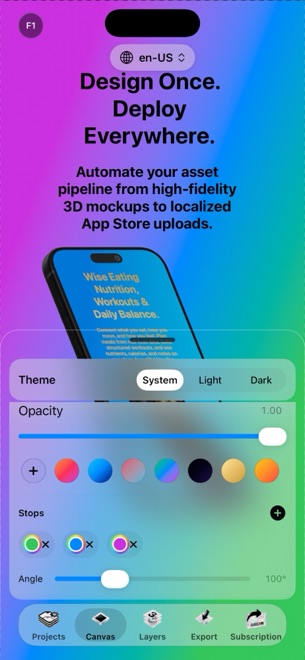
Static template websites force you to choose either a "2D flat template" or a "3D tilted template" upfront, requiring a full rebuild if you change your mind. In StoreFront Studio, rotation, scale, 3D position, studio light, materials, and depth of field are live sliders on every canvas.
Shrink your preview to phone-thumbnail width before exporting: if both the per-word gradient headline and the primary UI button read effortlessly in two seconds, your angle is dialed in.
| Control | How it works in StoreFront Studio | Benefit |
|---|---|---|
| Continuous 3D rotation | Dial any angle from 0° flat to angled hero poses | Switch between 2D clarity and 3D depth in seconds |
| Physical materials toggle | Switch realistic metallic reflections on or off | Match quiet minimal brands or lit dark-mode stages |
| Multi-size layout sync | Pose & headline adapt across 6.9" iPhone & 13" iPad | Avoid re-rigging angles separately for tablet slots |
Does Apple App Review allow 3D angled device mockups?
Yes. Under Guideline 2.3.3, 3D angled iPhone and iPad frames are completely fine as long as they clearly show your real shipping app UI on the matching device family.
What rotation angle keeps UI text readable in App Store search?
Keeping yaw and pitch between roughly 5 and 15 degrees adds noticeable 3D depth and rim light without foreshortening interface labels.
Can I turn off metallic reflections on 3D frames in StoreFront Studio?
Yes. You can switch physically accurate materials on or off and adjust studio lighting and depth of field per scene.
Should I put an angled iPhone frame inside my 13-inch iPad screenshot?
Never — always use StoreFront Studio’s 3D iPad models for iPad screenshot slots so your Universal submission passes App Review cleanly.