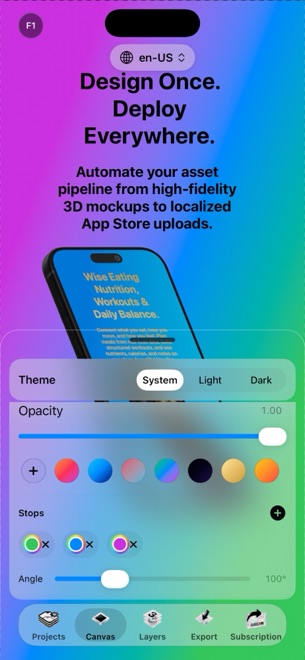
Raw Xcode Simulator Captures vs Captioned 3D App Store Screenshots
Pressing Command-S in Xcode Simulator and dragging raw full-bleed captures into App Store Connect satisfies Apple’s technical upload minimum in five minutes — and leaves shoppers squinting at tiny navigation bars trying to guess why your app matters. Framing real UI on studio-lit RealityKit 3D models beneath a five-word outcome headline communicates value instantly while taking less than an hour in StoreFront Studio.
1. What shoppers actually see in 2-second App Store search scans
Inside App Store search results, three portrait screenshots shrink to roughly one-third of an iPhone screen width each. In a raw Simulator capture, 15 pt navigation titles and 11 pt tab labels shrink to micro-print, and nothing tells the buyer whether your app works offline, syncs privately, or saves ten minutes a day.
Adding a bold 4-to-7-word headline with one inline gradient payoff word above a cleanly lit 3D iPhone model turns that same capture into an unmistakable billboard — while still showing 80% of your genuine interface.
| Evaluation factor | Raw Xcode Simulator Captures | Captioned 3D StoreFront Studio Set |
|---|---|---|
| 2-second value comprehension | Low — user must read tiny internal UI chrome | High — bold headline names exact outcome immediately |
| Visual trust & category polish | Reads like an unfinished beta or developer test tool | Matches top App Store category leaders & editorial features |
| Edge separation in Light/Dark store | White or black status/tab bars bleed into store feed | Gradient backdrop + lit 3D chassis frame clean boundaries |
| App Review Guideline 2.3.3 safety | Safe (pure UI), provided status bar & demo data are clean | Safe when real shipping UI fills the 3D device screen |
2. When full-bleed raw captures work vs when captioned 3D wins
There is one narrow exception where unframed full-bleed captures shine: immersive landscape 3D games or full-frame cinema environments where lush artwork already tells the whole story (often paired with a crisp corner caption). For utilities, productivity, finance, health, AI, developer, and education apps, uncaptioned settings lists and dashboards look indistinguishable from ten rivals.
StoreFront Studio bridges the gap fast: drop your raw Simulator captures onto exact RealityKit 3D iPhone and iPad models, generate compliant headlines with the AI copywriter, adapt sizes automatically, and push straight to App Store Connect.
| Step | Raw Simulator + Safari | StoreFront Studio Workflow |
|---|---|---|
| Capture source | Xcode Simulator Cmd+S (must capture exact 6.9" + 13" sims) | Same clean Simulator or physical device captures |
| Headline & localization value | Zero localized explanation on visuals | On-canvas AI headlines + multi-storefront adaptation |
| PNG alpha pitfall | Simulator masks/bezels with alpha get rejected by ASC | Outputs opaque full-bleed RGB images automatically |
| Uploading 8 languages (iPhone + iPad) | Manual browser uploads across 16 tabs | Single bulk API upload via local Apple Keychain |
3. Turning raw captures into a finished storefront in 45 minutes
Developers usually upload raw Simulator screens not out of strategy, but out of exhaustion at 11 PM after fixing their last release-candidate bug. Because StoreFront Studio requires no account, no Figma artboard cloning, and no PSD Smart Objects, going from raw screens to a lit 3D storefront fits comfortably into a single coffee break.
Design the entire set free, and unlock clean watermark-free instant exports with Pro ($3.99/mo, $39.99/yr, or $49.99 once forever).
| Minute mark | Action in StoreFront Studio | Result |
|---|---|---|
| Minutes 0–10 | Capture 5–8 populated screens with clean 9:41 status bar | Authentic, clutter-free UI inputs for iPhone & iPad |
| Minutes 10–25 | Drop onto RealityKit 3D models; set hero angle & studio light | Instant depth and dark/light store contrast |
| Minutes 25–35 | Write 5-word headlines + highlight 1 word with inline gradient | Clear three-frame story in App Store search results |
| Minutes 35–45 | Review 6.9" & 13" iPad sizes, localize & push via ASC API | Live-ready storefront without Safari drag-and-drop |
Does Apple penalize apps that only upload raw Simulator screenshots?
App Review accepts raw captures if they match exact pixel dimensions, contain no alpha channel, and show real UI — the penalty comes from shoppers scrolling past uncaptioned screens in search results.
Why did App Store Connect reject my Xcode Simulator screenshot for alpha transparency?
Capturing Simulator windows with rounded bezel shadows or alpha channels produces RGBA PNGs that Apple rejects; StoreFront Studio renders captures onto a 100% opaque canvas.
How big should the 3D device be relative to the headline?
Reserve the top 20%–25% of a portrait slide for a crisp two-line headline and let the 3D iPhone or iPad fill the remaining 75%–80% so in-app UI stays large and readable.
Can I upgrade my raw screenshots after my app is already live on the App Store?
You can test captioned 3D screenshots anytime via Product Page Optimization, or push a full refreshed set with your next editable app version from StoreFront Studio.