How to Fix "Images Can't Contain Alpha Channels or Transparencies" in App Store Connect
You export a set of App Store screenshots that look 100% solid on your screen, drag them into App Store Connect, and immediately hit the red error: "Images can't contain alpha channels or transparencies." Even when every pixel has 100% opacity, an RGBA PNG file header triggers an automatic rejection.
Why visually solid PNGs still fail Apple's alpha channel check
General graphics editors (such as Figma, Photoshop, or Sketch) default to 32-bit RGBA PNG exports whenever an artboard has rounded corners, a drop shadow, or a background layer that falls 0.5 pixels short of the canvas edge.
App Store Connect inspects the image color channel structure on upload. If an alpha channel is present in the file metadata, Apple rejects the file immediately.
| File Property | Accepted by App Store Connect | Rejected by App Store Connect |
|---|---|---|
| Color Channels | 24-bit RGB (3 channels: Red, Green, Blue) | 32-bit RGBA (4 channels: Red, Green, Blue, Alpha) |
| File Format | Flattened PNG (no alpha) or high-quality JPEG | Transparent PNG, WebP, HEIC, or layered TIFF |
| Canvas Corners | Full-bleed 90-degree rectangular canvas | Rounded artboard corners with transparent outer pixels |
How to generate opaque, store-ready screenshots every time
Instead of running terminal `sips` or ImageMagick scripts to strip alpha channels after every design tweak, use a screenshot pipeline built specifically for App Store Connect.
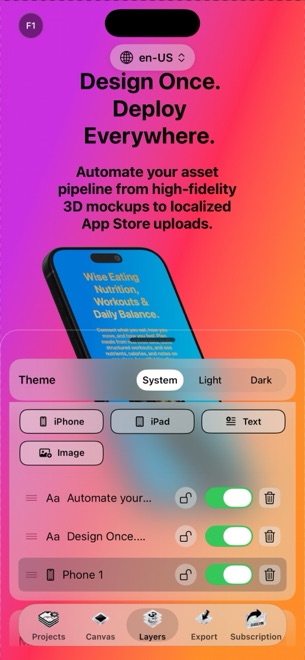
- Stage your UI captures on 3D iPhone and iPad frames inside StoreFront Studio.
- Choose a full-bleed solid color, linear gradient, or radial gradient for the canvas background.
- Verify your layout across 6.9-inch iPhone and 13-inch iPad dimensions.
- Export with StoreFront Studio Pro (or upload directly via the built-in App Store Connect API uploader) to produce flattened, store-compliant image files.
Check for free-tier watermarks before final submission
While testing StoreFront Studio's free version, exports play a short rewarded ad and include a small watermark so you can verify pixel dimensions and alpha compliance at zero cost. Upgrade to Pro before exporting the final production assets you submit to App Review.
Why does Apple forbid alpha channels in App Store screenshots?
App Store product pages apply their own rounded-corner masks in iOS, iPadOS, and macOS across both light and dark mode; transparent pixels would cause unpredictable background bleed.
Can I put a 3D angled phone inside a screenshot without using transparency?
Yes. The 3D iPhone or iPad sits in front of a full-bleed background color or gradient inside the rectangular screenshot canvas, so the exported file remains completely opaque.
Does StoreFront Studio require a separate tool to flatten exports?
No. StoreFront Studio renders and exports full-bleed frames ready for App Store Connect.