How to Prevent German, French, and Spanish Headline Overflow in Localized App Store Screenshots
A four-word English screenshot headline that fits neatly on two lines at 76 pt will routinely wrap onto four lines—or clip right into your 3D iPhone bezel—when translated into German, French, Spanish, or Russian. Planning for text expansion on a single multi-locale canvas prevents hours of per-language layout repairs.
How much longer non-English App Store headlines actually run
English marketing verbs ("Scan," "Track," "Split," "Sync") are unusually compact. Romance and Germanic languages require longer compound nouns or multi-word verb phrases to express the exact same benefit, while CJK scripts pack dense meaning into fewer characters that require careful line-break review.
| Storefront Language Group | Typical Character / Width Change | Main Layout Risk on Screenshot Canvas |
|---|---|---|
| German (de-DE), Dutch (nl-NL) | +20% to +35% wider; long compound words | Single long word overflows horizontal canvas padding |
| French (fr-FR), Spanish (es-ES), Portuguese (pt-BR) | +20% to +30% longer phrasing | Two-line English headline wraps onto a third or fourth line |
| Japanese (ja), Korean (ko), Chinese (zh-Hans) | -20% to -40% fewer characters | Awkward mid-word line break if width is constrained |
Design and translate overflow-safe headlines in 4 steps
StoreFront Studio pairs an on-canvas AI copywriter with per-word color and gradient styling so you can adapt and inspect every language without exporting to external spreadsheets.
- Design your master English headlines at four to six words over two lines, leaving at least 15% horizontal margin and vertical space for a third line above the 3D device.
- Use StoreFront Studio's built-in AI copywriter to generate culturally adapted storefront headlines rather than literal word-for-word dictionary translations.
- Re-apply per-word linear or radial gradient highlights in each translated sentence so the emphasis lands on the local payoff word.
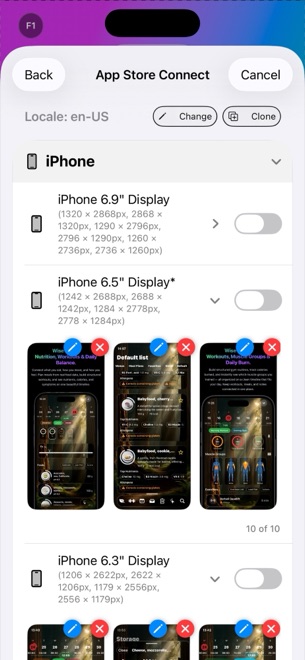
- Flip through the 6.9-inch iPhone and 13-inch iPad output sizes across your longest languages (such as German and French) before pushing to App Store Connect.
Why 13-inch iPad layouts need their own visual check
Because a 13-inch iPad portrait canvas has a 3:4 aspect ratio compared to iPhone's tall 9:19.5 ratio, vertical space above the tablet frame is tighter. Checking your longest translated headline on the 13-inch iPad view ensures three-line translations never touch the top of the iPad bezel.
Does StoreFront Studio send my entire project to an AI server automatically?
No. Only the app description or headline text you explicitly submit when requesting AI copywriting or translation is sent, and you review every word on the canvas.
Can I highlight different words with a gradient in each language?
Yes. Because word order changes across languages, you can style the specific keyword that carries the benefit in each localized headline.
Can I upload all translated languages at once after checking line wraps?
Yes. StoreFront Studio pushes all configured locales and device sizes to App Store Connect in a single bulk API operation.