How to Turn Raw Xcode Simulator Captures Into 3D App Store Screenshots on Mac
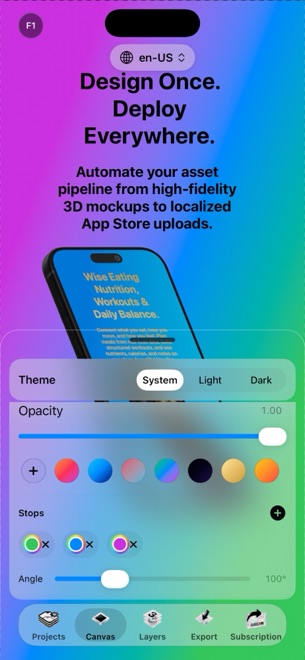
Uploading raw, unframed Xcode Simulator captures makes a great app look like an unfinished test build, yet building 3D mockups in Blender or wrestling with giant Figma templates can delay a launch by days. Running StoreFront Studio natively on macOS right beside Xcode Simulator lets you turn raw `Command-S` captures into lit RealityKit 3D storefronts in under an hour.
Which Xcode Simulator devices to boot for App Store Connect
You do not need to boot six different simulators to satisfy Apple's current screenshot requirements. Capturing from one flagship iPhone simulator and—for Universal apps—one flagship 13-inch iPad simulator gives you crisp native textures for every required slot.
| Target Slot Family | Xcode Simulator to Boot | Shortcut for Clean Framebuffer Capture | Requirement in Store |
|---|---|---|---|
| iPhone (6.9-inch & 6.5-inch slots) | iPhone 16 Pro Max / 6.9-inch iPhone simulator | Command-S inside Simulator | Required for all iOS apps |
| iPad (13-inch iPad Display slot) | iPad Pro (13-inch) simulator | Command-S inside Simulator | Required if Xcode build supports iPad |
From Xcode Simulator to App Store Connect in 4 steps
Because StoreFront Studio runs natively on macOS (as well as iOS 26 and iPadOS), you can drag Simulator captures straight from your Desktop into the 3D scene.
- Populate your running app in Xcode Simulator with realistic sample data and press Command-S on five to eight key screens.
- Open StoreFront Studio on your Mac and drop the iPhone and iPad captures onto the matching RealityKit 3D hardware models.
- Adjust 3D rotation, studio lighting, physically accurate materials, and depth of field, then add five-word benefit headlines with per-word gradient accents.
- Upgrade to StoreFront Studio Pro to remove the free-tier watermark and push the complete multi-size set directly to App Store Connect via your Keychain API key.
Keep status bars and sample data clean before pressing Command-S
A 3D titanium bezel elevates your presentation, but App Review and shoppers still inspect the UI inside the screen. Make sure your simulator shows a clean 9:41 clock, full battery, and realistic sample entries rather than debug banners or empty zero-state placeholders.
Can I test the full 3D workflow on Mac before buying StoreFront Studio Pro?
Yes. The entire RealityKit 3D editor, gradient typography engine, AI copywriter, and App Store Connect uploader are unlocked in the free tier (with ads and a watermark on free exports).
Does one StoreFront Studio Pro purchase cover Mac, iPad, and iPhone?
StoreFront Studio uses Apple In-App Purchase ($3.99/month, $39.99/year, or $49.99 lifetime) tied to your Apple ID across supported platforms.
Should I use an iPhone simulator capture inside my 13-inch iPad 3D mockup?
No. Always capture genuine iPadOS UI from a 13-inch iPad simulator or device for iPad slots so your submission complies with App Store Review Guideline 2.3.3.