StoreFront Studio vs Previewed.app: native RealityKit & direct ASC upload vs browser 3D credits
Previewed.app offers quick browser-based 3D device templates and promo animations when you want cloud-rendered social visuals or Android mockups. StoreFront Studio runs natively on your iPhone, iPad, and Mac using Apple’s RealityKit engine — giving you unlimited local 3D staging without cloud render credits, multi-size App Store adaptation, AI storefront localization, and one-step App Store Connect API uploads.
1. Local Apple Silicon RealityKit 3D vs cloud browser rendering
Browser 3D platforms like Previewed render scenes over the web, which works well for picking pre-staged promotional mockups or 3D video clips. However, adjusting angles, swapping ten screenshots across phone and tablet sizes, and queuing high-resolution exports in a browser tab feels sluggish compared to local GPU rendering.
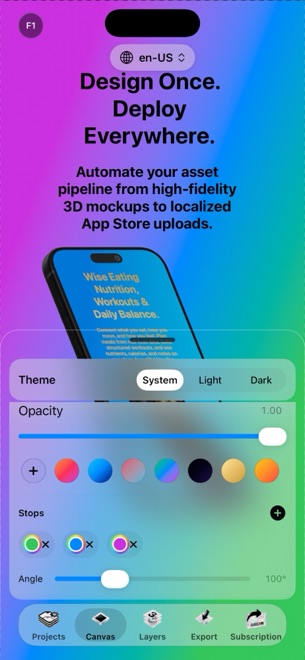
StoreFront Studio renders real 3D iPhone and iPad models instantaneously on your Mac, iPad, or iPhone via RealityKit. You rotate hardware on any axis, tune studio light and depth of field, toggle physical materials, and style inline per-word gradients with zero cloud render queues.
| Capability | StoreFront Studio | Previewed.app |
|---|---|---|
| 3D rendering engine | Local native RealityKit 3D on iOS 26, iPadOS & macOS | Browser / cloud 3D template renderer |
| 3D animation / MP4 video | Not included (focused on static App Store screenshot sets) | Supported on paid video plans |
| Inline per-word gradient copy | Single-sentence per-word colors & linear/radial gradients | Template text boxes in browser editor |
| Multi-size Apple store canvas | One design follows to 6.9", 6.5", 13" iPad & legacy slots | Separate template exports per resolution |
| Non-Apple device mockups | Apple iPhone & iPad hardware exclusively | Includes Android & generic web mockups |
2. Publishing localized App Store sets without manual downloads
Exporting ten PNGs from Previewed leaves you manually resizing for 13-inch iPad, translating strings in external docs, and dragging hundreds of files into App Store Connect in Safari.
StoreFront Studio treats App Store delivery as part of the canvas: generate and translate storefront headlines with the built-in AI copywriter, inspect every required dimension, and bulk-upload straight to App Store Connect using your local Keychain .p8 API key.
| Step | StoreFront Studio | Previewed.app |
|---|---|---|
| On-canvas AI storefront translation | Included (tuned to App Store marketing guidelines) | Manual copy edits per template |
| Direct App Store Connect API upload | Yes — pushes all sizes & languages from local Keychain | No — download files and upload manually in browser |
| Account requirement | None — open app and design locally right away | Web account required |
| Offline editing & rendering | Full 3D stage & local exports work offline | Requires internet connection |
3. Unlimited local exports vs download credits and tiers
Cloud renderers pay server GPU costs on every export, so they naturally meter downloads, credits, or monthly seats. Because StoreFront Studio renders on your own Apple hardware, Pro ($3.99/mo, $39.99/yr, or $49.99 once forever) gives you unlimited clean exports across every app you ship.
You can even build and preview your full 3D set for free before upgrading.
| Need | Recommended tool | Why |
|---|---|---|
| Unlimited 3D App Store screenshot sets + ASC API push | StoreFront Studio | Zero render credits, native speed & $49.99 lifetime Pro |
| 3D animated video clips or Android device frames | Previewed.app | Supports motion templates and non-Apple hardware |
| Lowest cost for multi-app Apple indie devs | StoreFront Studio | $3.99/mo launch sprint or $49.99 one-time purchase |
Does StoreFront Studio charge per export or use render credits?
Never. All 3D rendering runs locally on your Apple device; Pro ($3.99/mo, $39.99/yr, or $49.99 lifetime) allows unlimited watermark-free exports and uploads.
Can Previewed.app push screenshots directly to App Store Connect?
No. Previewed exports image or video downloads, whereas StoreFront Studio connects directly to Apple’s App Store Connect API using your local Keychain key.
Does StoreFront Studio create animated 3D App Preview videos?
No. StoreFront Studio specializes in static 3D-rendered App Store screenshots across every required Apple dimension and language.
Can I use StoreFront Studio on iPad Pro as well as Mac?
Yes. The full RealityKit 3D editor runs natively across macOS, iPadOS, and iOS 26.